Shreyaa Ghosh

● A portfolio of ideas, built with Claude

Small ideas, built all the way through.

I'm Shreyaa. I design and ship software products with Claude, from installable web apps and a browser game to a live desktop and a native Android app. Each one is taken from first idea to working release, private by default, and open for you to try wherever that's possible.

Work

5 projects
Marginalia's bookshelf view: books standing on two wooden shelves with fairy lights, a vase of flowers and candles
01 / Reading journal

Marginalia

A reading journal for books, new words and the lines worth keeping.

Marginalia is a complete reading companion. Adding a book takes a barcode scan. Capturing a quote takes a photo of the page: the app detects underlined and highlighted passages and transcribes them. New words are saved with the sentence they appeared in, defined through Merriam-Webster, and brought back later in short quizzes.

It is an installable web app that works offline and syncs to a single file in the reader's own Google Drive, so no journal ever passes through a third-party server. Its signature is the bookshelf view, where every book stands with a spine as thick as its page count, under a string of fairy lights.

  • Installable web app
  • Offline first
  • On-device page scanning
  • Google Drive sync
Open Marginalia →
Zombie Typer level one: a jungle path with three zombies walking in, each carrying a word to type
02 / Game

Zombie Typer

A typing tutor disguised as a zombie game.

Each zombie shuffles towards you carrying a word, and the only way to stop it is to type that word correctly. Across fifteen levels and five settings the pace quickens and the vocabulary gets harder, with runners, brutes and a boss every third level who demands an entire sentence.

Underneath the game is a proper practice tool. It tracks words per minute, accuracy and combos, awards stars for each level, and notes the keys you fumble most, so improving your score and improving your typing turn out to be the same thing.

  • Phaser 3
  • 15 levels
  • Runs in the browser
  • Keyboard needed
Play Zombie Typer →
Live Desktop at night: a glowing tree on a floating island, a weather panel, and small sleeping creatures along the grass
03 / Wallpaper

Live Desktop

A living wallpaper that mirrors the weather outside.

Live Desktop replaces a static background with a small fantasy world that follows the real forecast for your city. Rain, snow, fog and heatwaves each change the scene, and nightfall brings out two moons and drifting wisps of light.

Everyday apps live in it as characters: Claude the Sage, Snipping Tool the Crab Monarch, Settings the Clockwork Golem. They wander about, pass comment on the weather, put up umbrellas in the rain and doze off after dark. On the desktop each one doubles as a launcher: double-clicking a character opens its app.

  • Single HTML file
  • Live weather
  • Canvas + SVG
  • Lively Wallpaper
Open the demo → Made as a Windows desktop wallpaper, so it's best on a big screen.
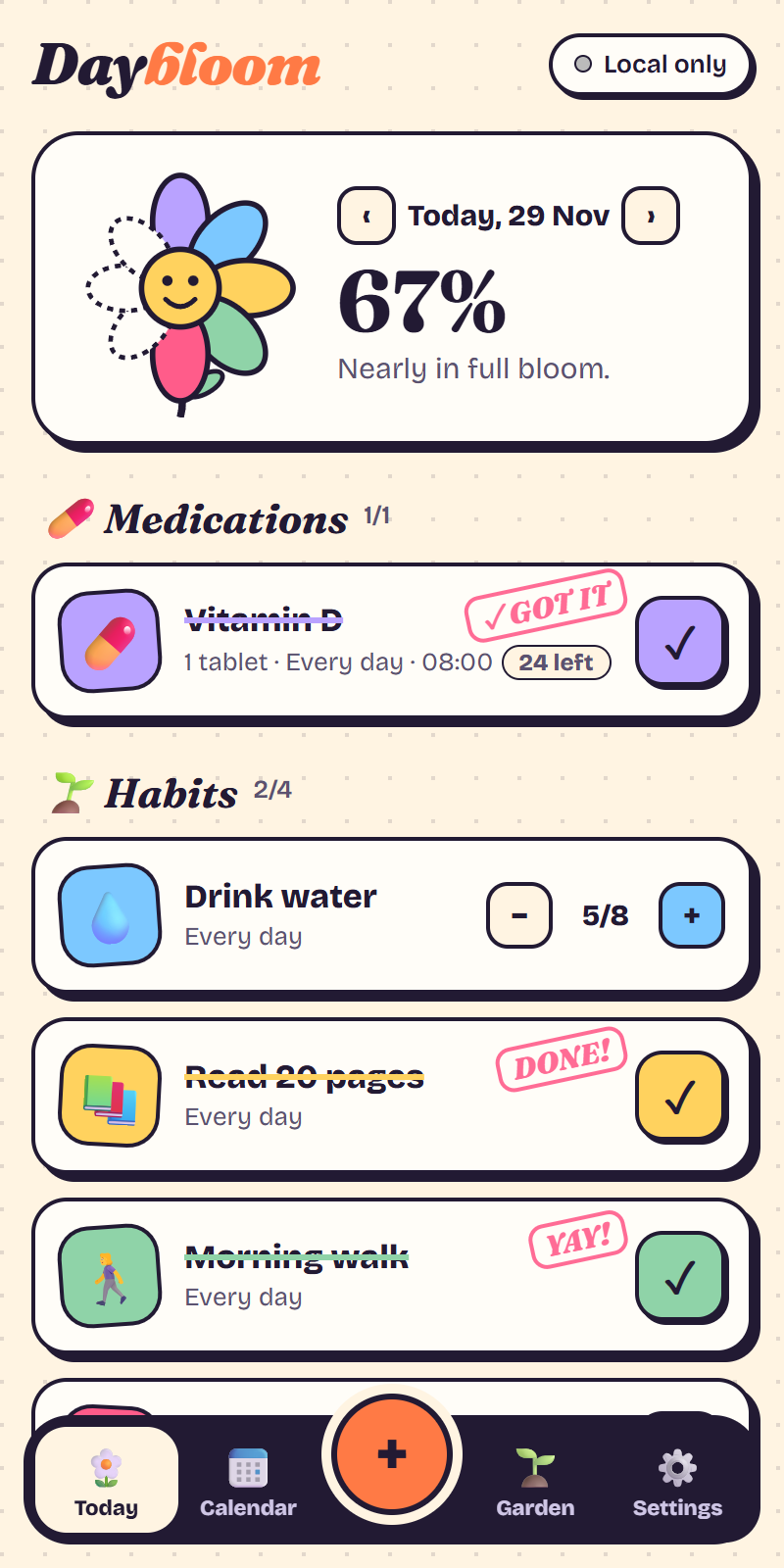
Daybloom's Today screen: a smiling flower at 67 percent, with a medication and four habits to tick off
04 / Tracker

Daybloom

A habit and medication tracker that turns each day into a flower.

Daybloom replaces the usual checklist with a visual record of the day. Every habit completed or dose taken opens a petal, and a day with everything done reaches full bloom. Over time the calendar fills with flowers, and the Garden view reports streaks and completion rates for each habit.

Medications are handled with more care than a tick box: scheduled dose times, a running pill count, and a prompt when a refill is due. Data stays on the device by default, with optional backup to the user's own Google Drive and optional dose reminders through a dedicated Google Calendar.

  • Installable web app
  • Stays on your device
  • Google Drive backup
  • Calendar reminders
Try Daybloom → Made for a phone screen. Anything you add stays in your own browser.
05 / Android app

Recipe Box

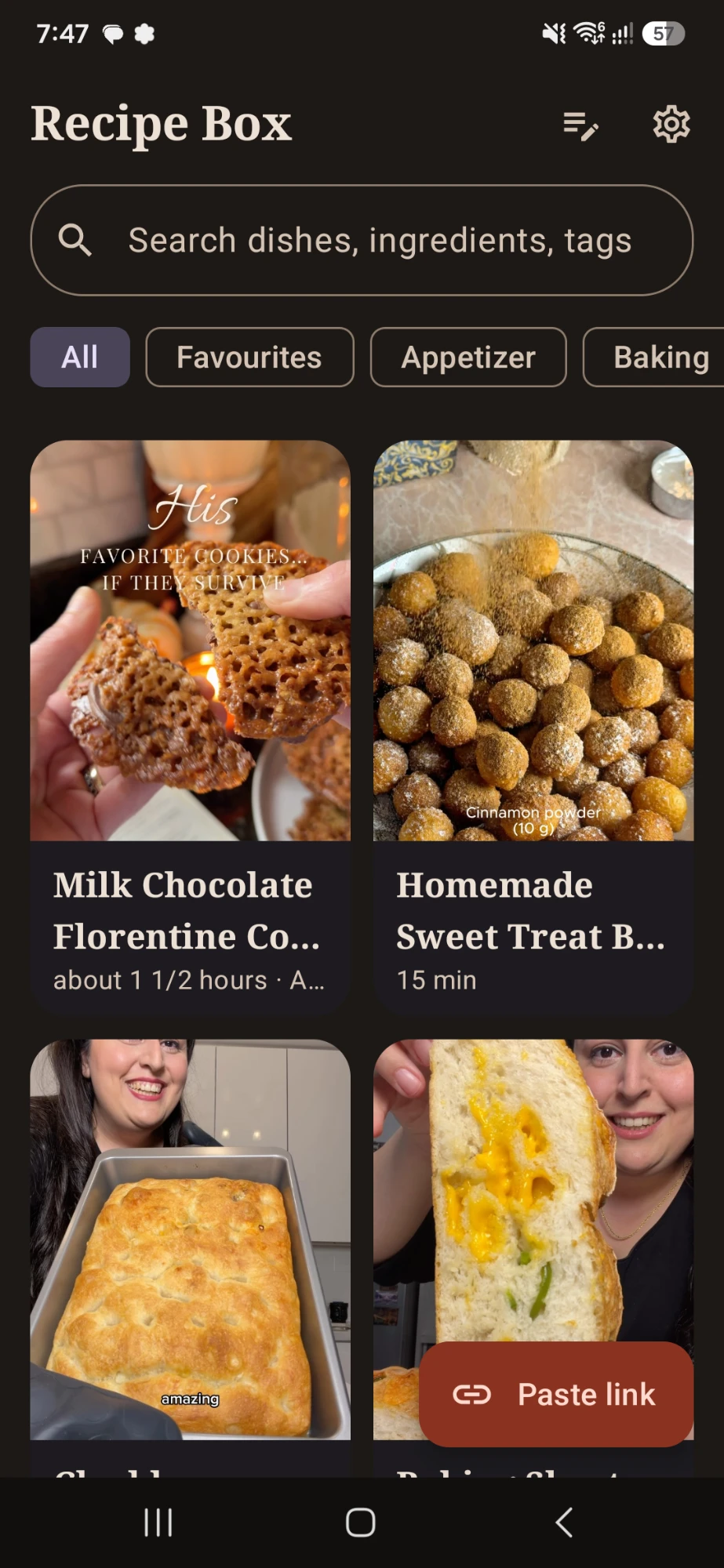
An Android app that turns saved Instagram recipes into a searchable cookbook.

Recipes on Instagram are easy to save and hard to cook from. Recipe Box closes that gap. Sharing a post to the app is enough: it reads the caption and the creator's comments, then uses Claude to restructure them into a proper recipe with ingredients, numbered steps, timings, cuisine and tags, with the photos kept alongside.

When the method exists only in the video, the app reads the on-screen text and transcribes the narration. In the kitchen, ingredients and steps can be ticked off during cooking, and the whole collection is searchable and backed up to the user's own Google Drive.

  • Android · Kotlin
  • Claude API
  • Cloudflare Worker
  • Google Drive backup
A native Android app, currently in private release, so there is nothing to open here.

About

Shreyaa Ghosh

I design and ship complete software products, with Claude as my engineering partner.

My work sits where product thinking meets implementation. I define the problem, the audience and the experience, then direct the build from first prototype to public release. The five projects on this page span installable web apps, a browser game, a live desktop environment and a native Android app.

The same standards run through all of them. Personal data stays with the person it belongs to, on their device or in their own Google Drive. Apps keep working offline wherever the platform allows. Interfaces are refined through repeated rounds of testing until the details hold up, from typography and motion to the wording of an empty screen.

This site is run like production software: under version control, with automated regression tests on every build and continuous deployment once they pass.

  • Product directionProblem, audience and scope are settled before any code is written.
  • Privacy by designLocal-first data, with sync and backup kept in the user's own accounts.
  • Shipped, not shelvedEvery project is finished, released and maintained.